
Published 9 October 2026, Updated 9 October 2026
Actions on Group
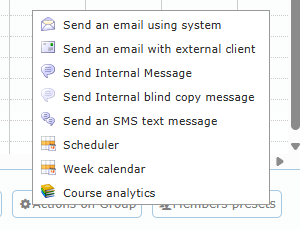
Click Actions on Group (gear icon) to act on all members of the project group:
| Action | Use |
|---|---|
| Send an email using system | Email every member from the application. |
| Send an email with external client | Opens your email program with all addresses. |
| Send Internal Message / Send Internal blind copy message | Internal message to all members (visible or blind copy). |
| Send an SMS text message | Disabled if no member has a mobile number. |
| Scheduler | Live scheduler filtered on the group (when the live scheduler module is active). |
| Week calendar | Week calendar for the group. |
| Course analytics | Progress, times, timeline, scores, no-shows, flight records, lateness, and charts for the group, course by course (needs statistics or responsible rights). |
Members presets
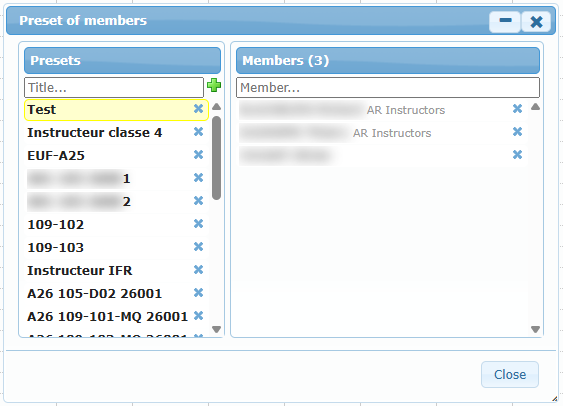
Click Members presets (people icon) to create named lists of members, such as “Guest instructors” or “Repeat students”. In the add or modify dialog, click the presets icon next to Additional participants to add a whole preset at once.
Competency report
Click Competency report to open, in a new tab, a report of the instructors’ competencies for the lessons on the dates currently shown in the calendar. Use it before synchronizing to confirm every instructor is qualified and current.