
Published 12 January 2023, Updated 12 October 2026
The Admin menu, in the main menu bar, gives access to the portal management tools and settings. It is shown only to members with administrative access rights.
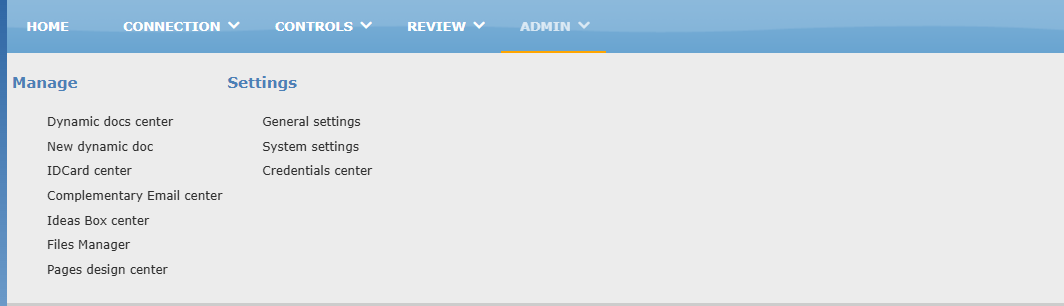
Items are grouped in columns by function. Most items require specific access rights, and some appear only when the feature is enabled for your organization. If you don’t see an item described below, you don’t have access to it or it is not used by your organization.
Menu items
In the table, Access rights required means that only members with the proper credentials see the item. Optional feature means that the item appears only if your organization uses this feature.
| Item | What it is used for | Access rights required | Optional feature |
|---|---|---|---|
| Manage | |||
| Dynamic docs center | Manages the portal’s dynamic documents. | X | |
| New dynamic doc | Creates a new dynamic document. | X | |
| IDCard center | Creates and manages member ID cards. | X | |
| Complementary Email center | Manages the mailboxes your organization gives members on its own email domain. | X | |
| Ideas Box center | Manages the ideas sent anonymously through the ideas box. | X | |
| Files Manager | Browses and manages the files stored in the portal. Deleted files go to the recycle bin. | X | |
| Pages design center | Creates and manages your organization’s own pages. | X | |
| Settings | |||
| General settings | General settings of the portal. | X | |
| System settings | System settings of the portal. | X | |
| Credentials center | Manages members’ access rights (credentials). | X |