
Published 10 October 2026, Updated 10 October 2026
E-courses are online courses you follow on your own, at your own pace: slide presentations, interactive lessons or documents prepared by your school. You can open them from a computer or from your phone, stop at any time and, for most courses, continue later where you stopped.
The E-courses page shows only the courses you are allowed to follow. Your school decides who can see each course: either all members, or only the members of some roles (for example “Student” or “Ground Instructor”). If a colleague sees a course that you don’t see, the course is not open to your role.
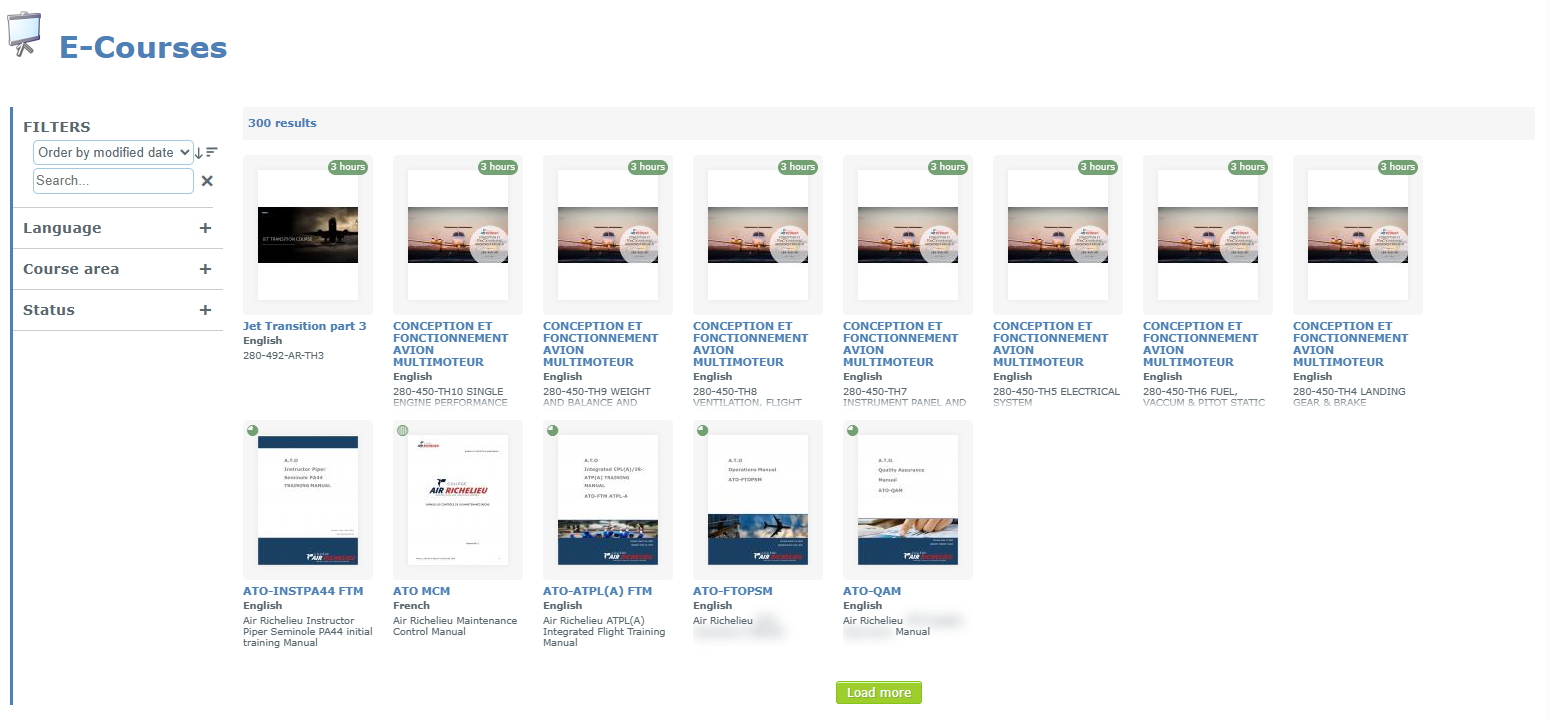
What you can do
| Task | Where | Article |
|---|---|---|
| Find a course by its name, language, course area or progress | E-Courses page, Filters panel | Finding an e-course |
| Open (launch) a course and continue it later | Click the course card | Launching and following an e-course |
| Follow your courses on your phone | Mobile version, E-courses tile | Using the mobile version |
How to open the E-courses page
- On a computer: open E-courses from the main menu of AirSupervision. The exact menu position depends on how your organization configured its menu. Some portal pages also show an E-courses block.
- On a phone: open the mobile version (or the AirSupervision app) and tap the E-courses tile in the Convenient section.
If you can’t find the E-courses entry at all, the e-course feature isn’t enabled for your organization, or you aren’t signed in.
Articles in this chapter
- Finding an e-course
- Launching and following an e-course
- Using the mobile version