
Published 10 October 2026, Updated 10 October 2026
A memorandum (or memo) is an official notice published by the people in charge of your organization — for example the Chief Flight Instructor, the Operations Manager, the Safety Manager or the Quality Assurance team. It is used for information that every concerned member must know: a new or changed procedure, a temporary restriction, a safety notice, a regulatory change, a new form to use, and so on.
A memorandum is not a simple message. It was built so that the organization can be sure that each concerned member has read it:
- it is addressed to one or more roles (for example Flight instructors or Students), so every member who has one of those roles is concerned;
- as long as a concerned member has not acknowledged it, AirSupervision locks access to the rest of the application and keeps showing the memorandum;
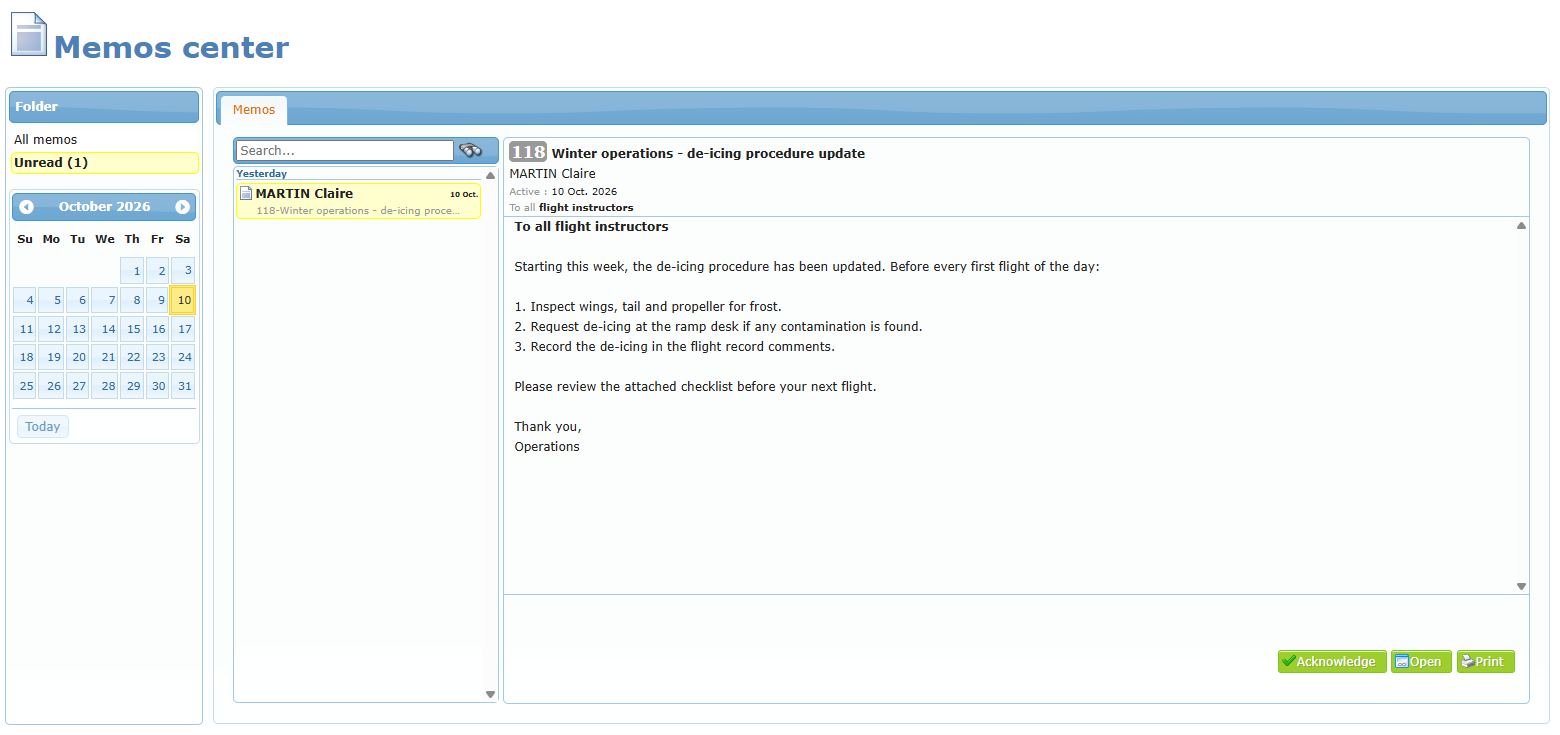
- when the member clicks Acknowledge, the system records the date and time of the acknowledgment, and the person in charge can see who has read it and who has not.
Some memoranda also include a mandatory survey that must be completed to acknowledge them. See Memoranda with a mandatory survey.
Why acknowledgment matters
In aviation, a procedure is only useful if everyone applies it. Regulators and quality systems expect the organization to prove that important information reached the people concerned. The acknowledgment date and time recorded by AirSupervision is that proof — for the organization and for you.
When to use this: read every memorandum carefully before clicking Acknowledge. By acknowledging, you confirm that you have read and understood it.
Where to find memoranda
| Where | What you see |
|---|---|
| E-mail and internal message | When a memorandum is published, the concerned members usually receive an e-mail and a message in AirSupervision. |
| Memos center | All memoranda addressed to you. The Unread folder shows how many you still have to acknowledge. |
| Home page, Last memos | The most recent active memoranda, when your organization shows them. Click the arrow to open the memorandum. |
| Mobile version and app | The Memorandums menu entry, with a badge showing the number of unread memoranda. |
Articles in this chapter
- Receiving a memorandum — the e-mail you receive and the active date.
- Reading and acknowledging a memorandum — the access lock and the Acknowledge button.
- Memoranda with a mandatory survey — when a survey must be completed to acknowledge.
- Finding and printing memoranda — folders, calendar, search, Open and Print.
- Publishing a memorandum (in the Organization staff section) — how a person in charge creates a memorandum and follows who has read it.