Published 9 October 2026, Updated 9 October 2026
Project resources and extra groups
Two selection lists appear below the calendar once a project is loaded:
- Resources list: the rooms this project normally uses. They become the default filter for room searches. The list is saved with the project when you close the selector.
- Groups list: other groups to include when checking student unavailability, for example a group that shares instructors or rooms. It is also saved with the project.
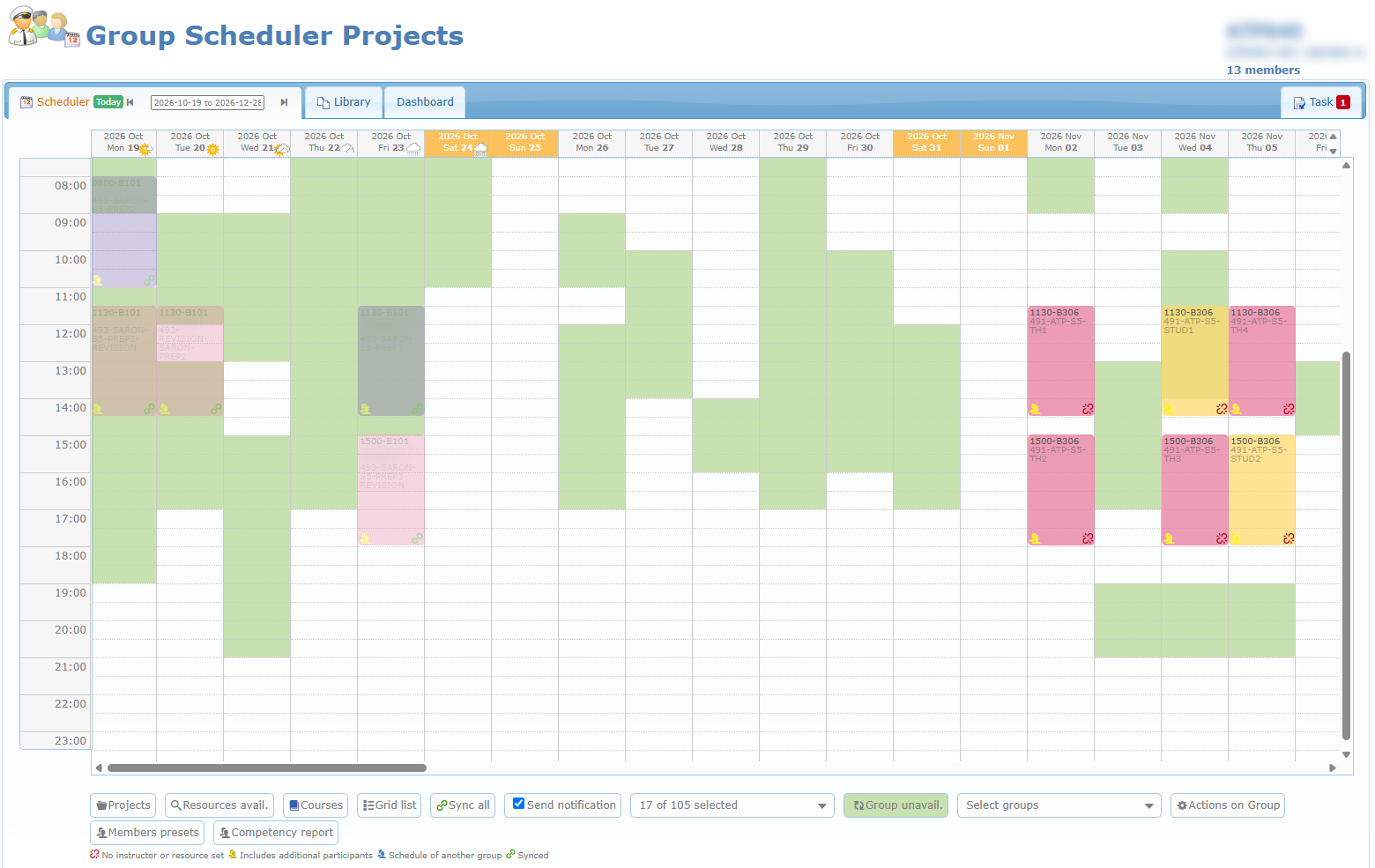
Availability shading button
The refresh icon button shades the calendar to show when you cannot schedule:
| Click | Label shown | Shaded slots |
|---|---|---|
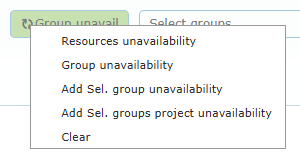
| 1st | Resources unavail. (grey) | All the selected project resources are busy. |
| 2nd | Group unavail. (green) | A member of the project group is unavailable. |
| 3rd | Add Sel. groups unavail. (blue) | A member of the project group or of the selected extra groups is unavailable. |
| 4th | Add Sel. groups project unavail. (dark blue) | The selected extra groups already have lessons in another, not yet synchronized project. |
| 5th | (no label) | Shading cleared. |
Right-click the button to choose a mode directly or Clear. Hover over it for a reminder. The shading follows you as you scroll to other dates.
Resources availability search
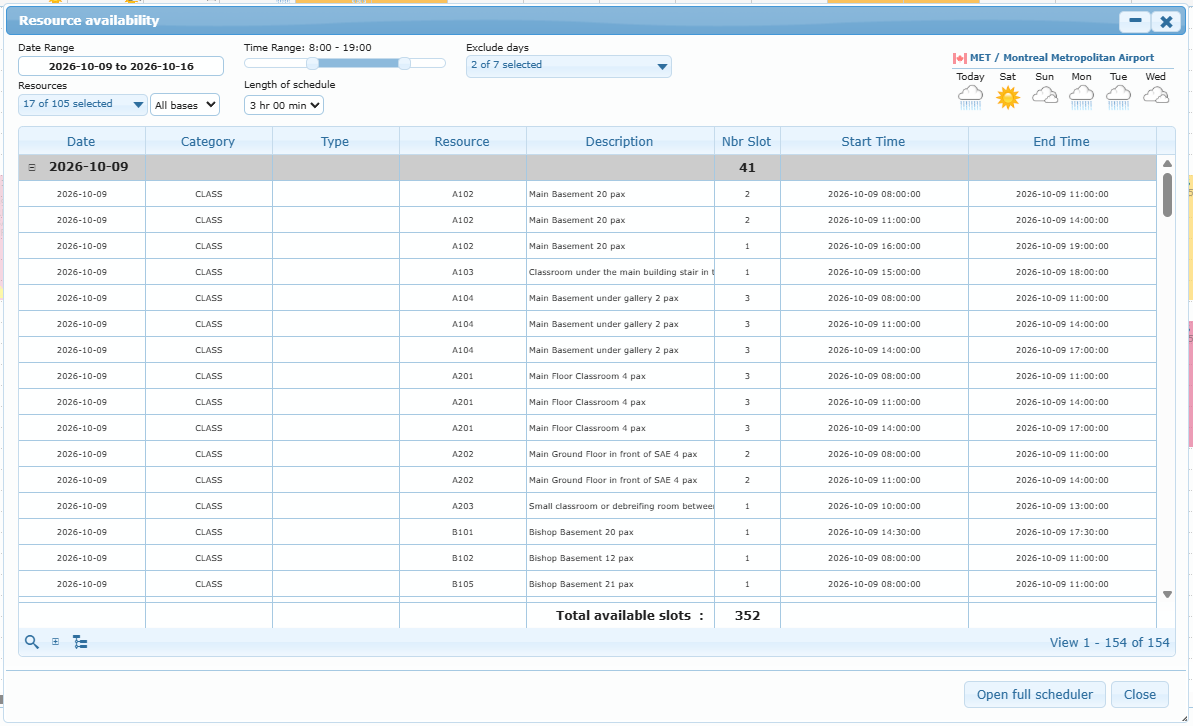
Click Resources avail. (magnifier) to open the Resource availability window. Use it to find free rooms over a whole period before you place lessons.
| Option | Use | Default |
|---|---|---|
| Date Range | Period to search. | Today plus one week |
| Resources | Rooms or resource types to check. Search by type is at the bottom of the list. Your choice also updates the project’s resource list. | Project resources or ground resources |
| Base | Limit to one base. | All bases |
| Time Range | Daily window, set with a slider in 30-minute steps. | 8:00 – 19:00 |
| Length of schedule | Minimum length of the free slot. | 3 hr 00 min |
| Exclude days | Days to ignore. | Saturdays and Sundays |
Click the magnifier at the bottom of the window to run the search. Results are grouped by date, and the footer shows the total available slots. The other pager buttons collapse or expand all dates and switch the grouping on or off. Open full scheduler opens the live scheduler in a new tab.