
Published 9 January 2023, Updated 13 October 2026
The Files tab gathers the documents related to you.
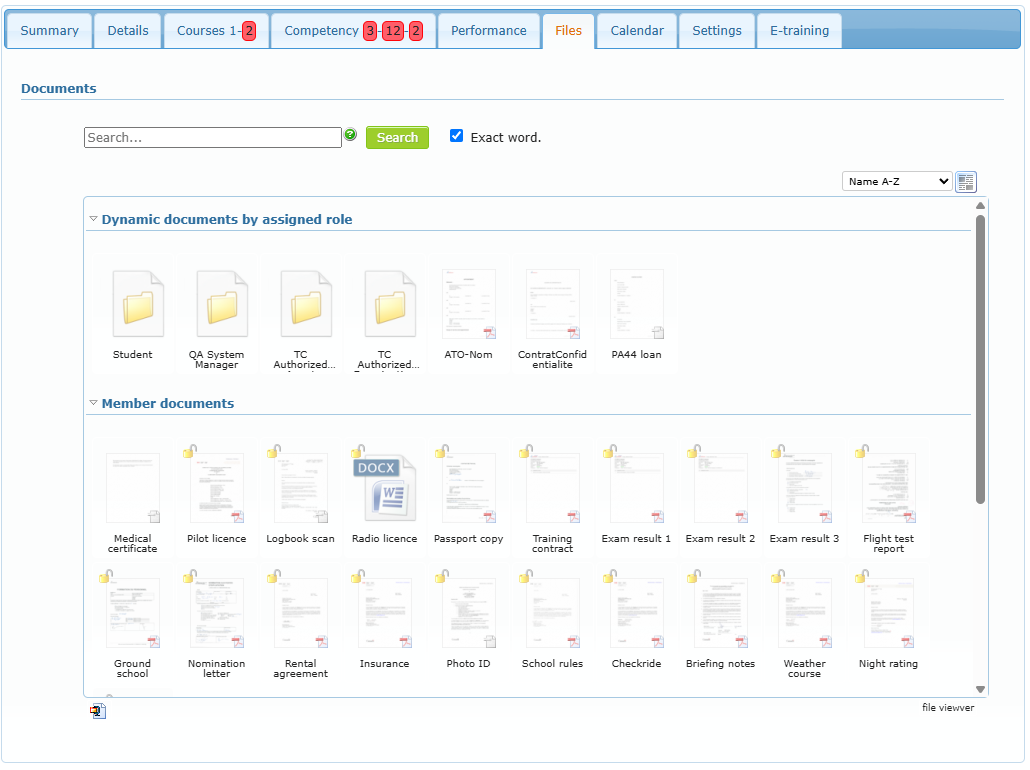
| Group | Content |
|---|---|
| Dynamic documents by assigned role | Default documents linked to your roles. Some are generated on the fly as PDF files with your own information. |
| Member documents | Files uploaded to your profile (certificates, exam results, contracts…). A lock means the file is restricted to a minimum level. |
| Protected Documents | Documents only you can see, when this option is activated for your organization. |
Use the Search field to find a file (tick Exact word for an exact match), the list at the top right to sort, and the icon next to it to change the display. Click a file to open it.
Adding files is reserved to members allowed by the organization: they see an Add section at the top of the tab. For details about files and folders, see Handling files and folders.