Published 25 October 2026, Updated 25 October 2026
TC licence values
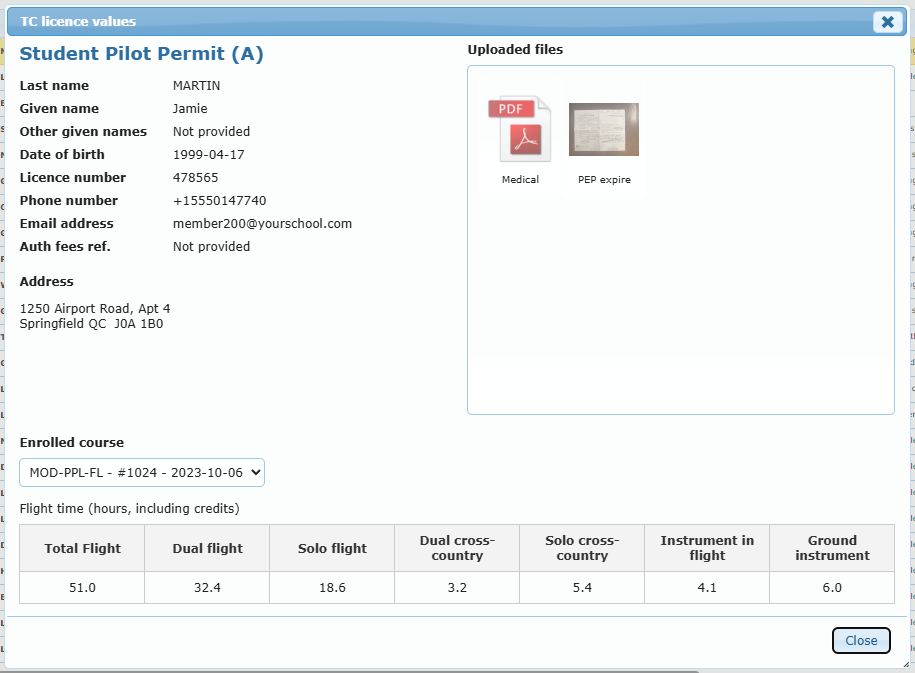
TC licence values gathers, in one read-only window, the values to copy into the Transport Canada application: licence type, last name, given name, other given names, date of birth, licence number, phone number (cellular first), email address, authority fees reference and address (postal address when there is one). Missing values show Not provided.
On the right, Uploaded files shows the case files (click to open). Below, choose an Enrolled course to see its flight time in hours, credits included: total flight, dual, solo, dual cross-country, solo cross-country, instrument in flight and ground instrument. Closed enrolments are marked (closed).
Courses
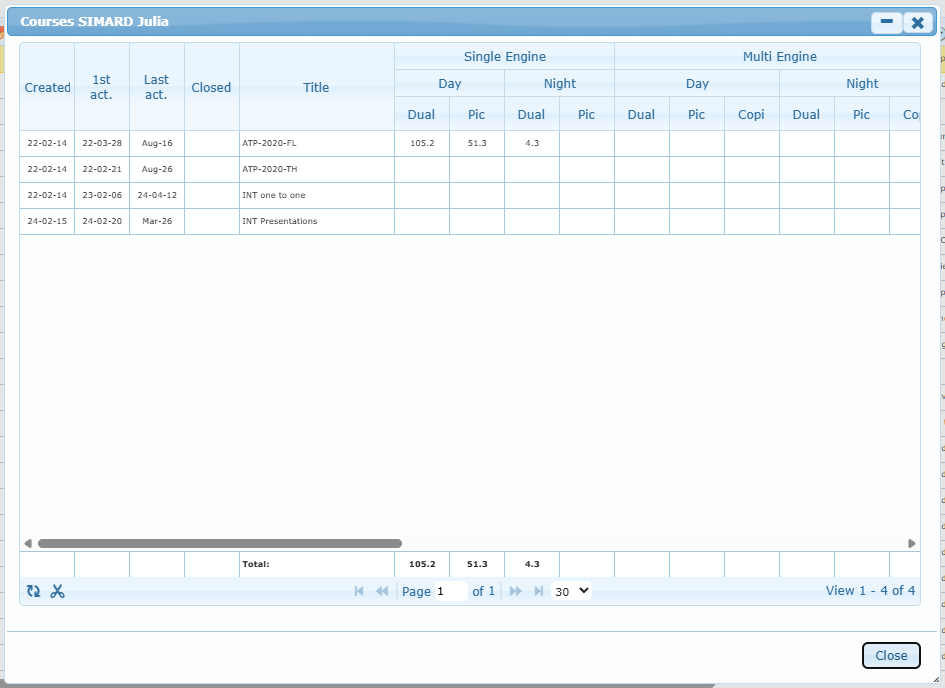
Member › Courses lists the member’s courses with their creation, first and last activity and closing dates, and the hours by category (single and multi engine, day and night, instrument, cross-country, simulator, ground…). The footer shows the totals. Select a course and click the scissors (Remove) to take it out of the totals on screen only.
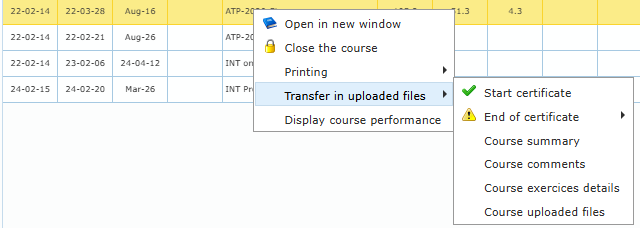
Right-click a course to Open in new window, Close the course (with a reason) or Reopen the course, print it (Printing › summary, comments or exercise details), Display course performance, or Transfer in uploaded files: this creates the chosen document (course certificate, course summary, course comments, exercise details) as a file in the case. A certificate that is not available yet shows a warning with the missing lessons or experience. Course certificates are set up in the Course Design Center.
Daily Record, CBTA and competencies
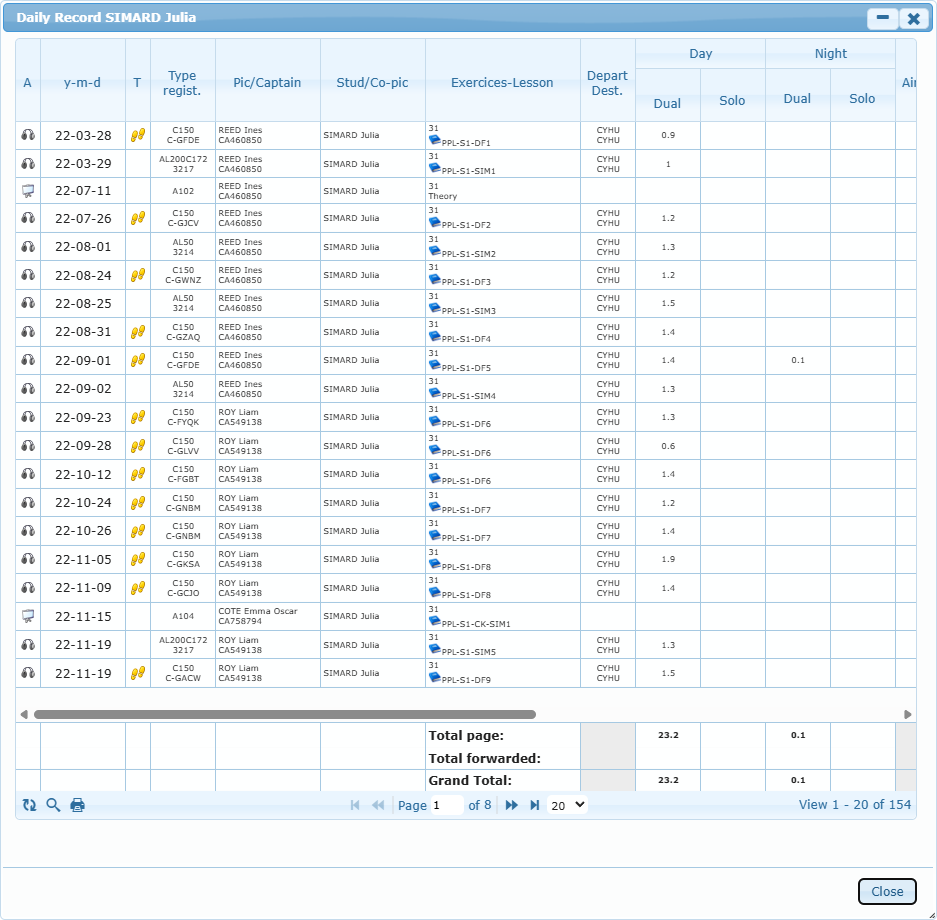
Member › Daily Record shows the member’s flights and sessions (date, aircraft, instructor, student, exercises, departure and destination, hours by category) with page and grand totals. CBTA Training shows the competency-based training results by course. Add competency opens the window to add a competency with its effective date, optional expiry date and comment.