Managers

  1. Home
  2. Docs
  3. Managers
  4. Courses Center
  5. Course List
  6. Attendance
  7. Session History and Printing

Session History and Printing

Published 22 February 2026, Updated 9 October 2026

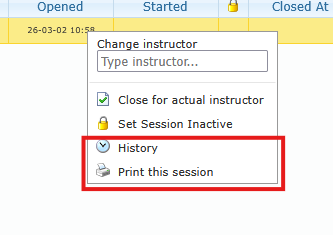
Use History to audit what happened in the session timeline.
Use Print this session or Print selected sessions for records and offline review.

History typically reflects operational actions such as:

  • session closure
  • inactive/reactivate actions
  • attendee changes
  • instructor/session adjustments (when applicable)
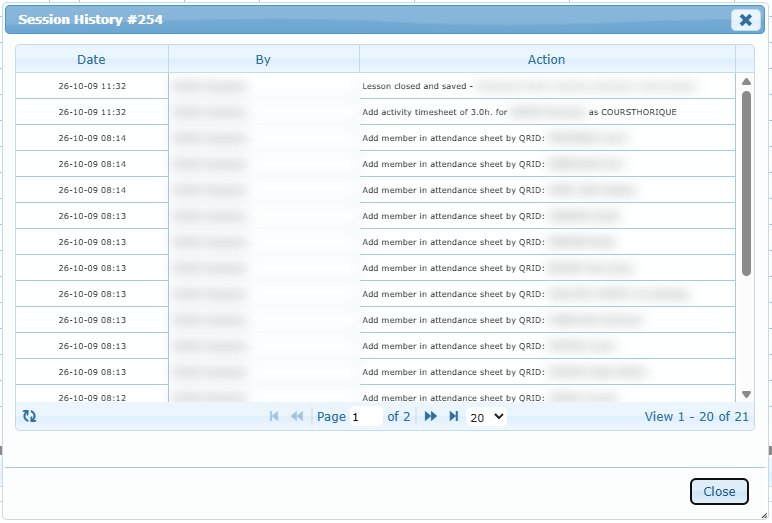
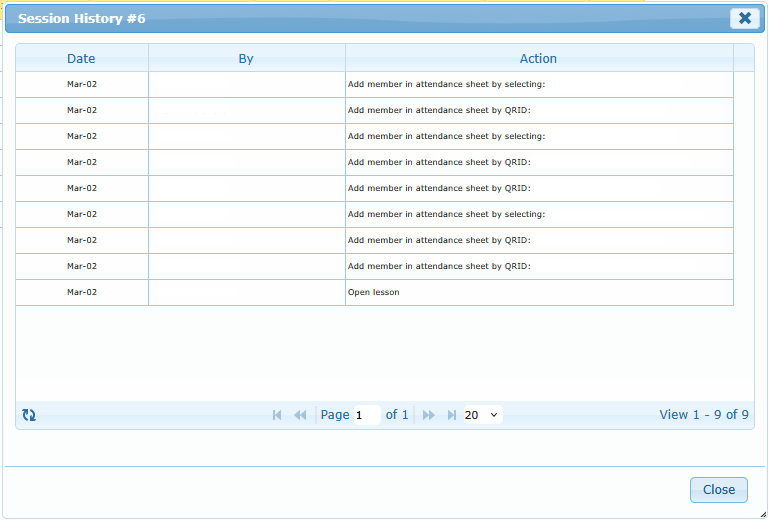
Session History window: date, author and action of each change
Session History window: date, author and action of each change.
Sessions selected with their check boxes, and the print icon in the toolbar
Sessions selected with their check boxes, and the print icon in the toolbar.
Session history dialog content
Was this article helpful to you? Yes No