
Published 4 October 2026, Updated 13 October 2026
The Responsible Center brings together the supervisor tools used to follow the people who are responsible for students’ courses. It has two pages:
- Responsible analytics helps you compare responsible members: recent activity, schedules, no-shows, charts, recommendation results, private notes, event reports, assigned courses and follow-up tasks.
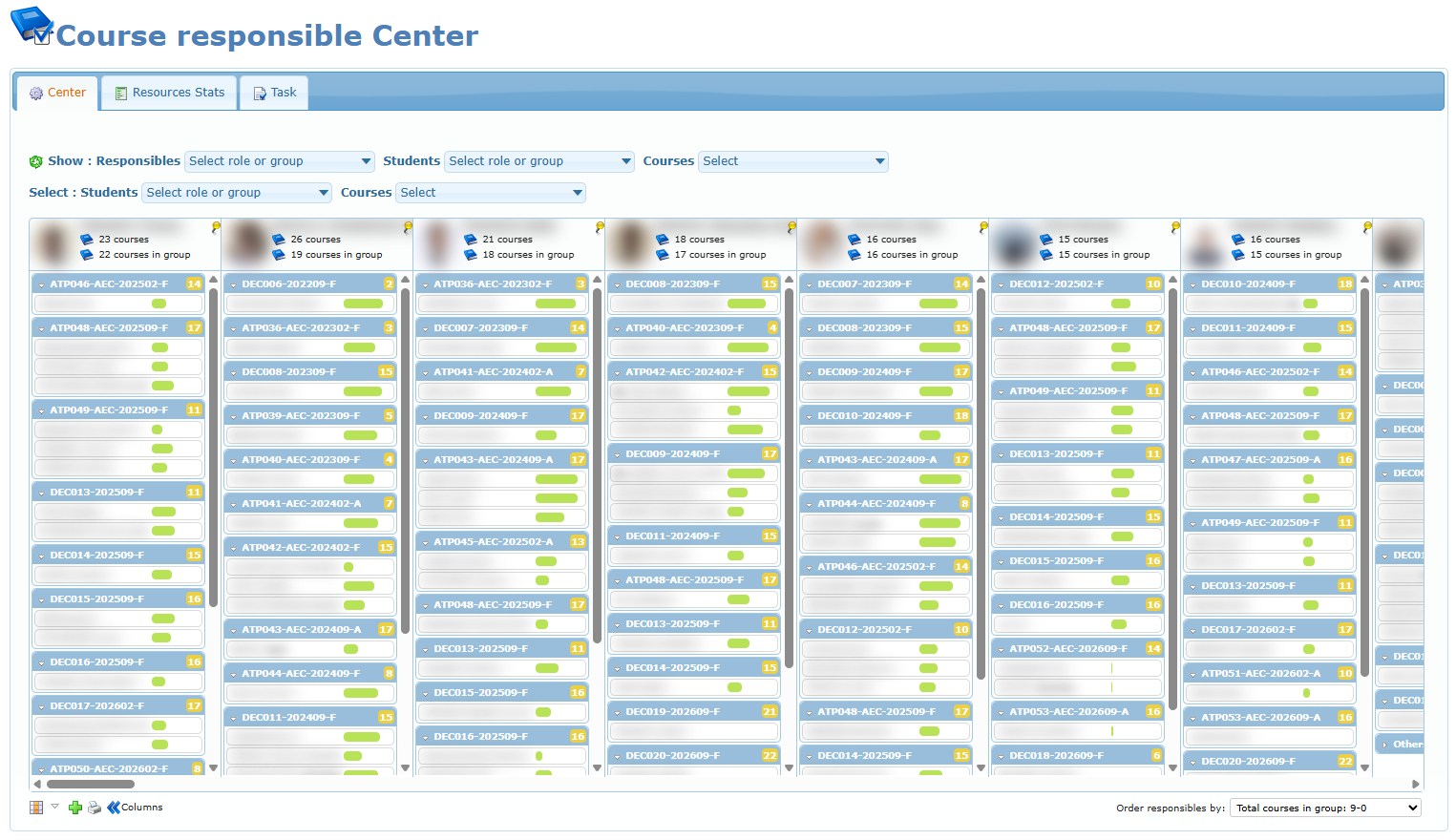
- Course responsible Center is a visual assignment board. It shows who is responsible for each open student course and lets authorized users assign, transfer or remove that responsibility.
Choose the right page
| You want to… | Open |
|---|---|
| Compare the activity, workload or recommendation results of several instructors | Responsible analytics |
| Read private notes or event reports about a responsible member | Responsible analytics |
| See which open courses one responsible member currently follows | Responsible analytics (Courses tab) or Course responsible Center |
| See every responsible member’s assigned courses side by side | Course responsible Center |
| Find open courses that have nobody responsible | Course responsible Center (Unassigned courses) |
| Assign, transfer or remove a course responsible | Course responsible Center, or the Courses tab of Responsible analytics |
| Check current resource availability and instructor allocation statistics | Course responsible Center (Resources Stats) or Responsible analytics (Resources) |
Who can use these pages
Access is granted in the member’s profile options. Ask an administrator if a page or action described here is missing for you.
| Access option | What it allows |
|---|---|
| Can monitor recommendation failure | Opens Responsible analytics. |
| Can manage course responsible by batch | Full use of Course responsible Center: assign, transfer and unassign courses, print lists, and use the Resources Stats and Task tabs. |
| Can see course responsible center | View-only use of Course responsible Center. The title shows Restricted options; cards cannot be moved and printing, Resources Stats and Task are not available. |
Sending an alert when a responsibility changes also requires the internal messaging feature and the permission to send messages.
Articles in this chapter
- Responsible analytics – page layout, finding and selecting members, member menu and printing.
- Activities and No shows
- Charts and Resources
- Private Notes and Event Reports
- Courses, Performances and Task
- Course responsible Center – reading the assignment board, filters, display controls and ordering.
- Assign, transfer and unassign courses
- Print assignment lists
- Resources Stats and Task tabs
- Troubleshooting and safety checklist – common questions for both pages and the checks to make before acting.
Before you begin
Information shown on screen depends on your access rights and on the records available for the selected people, courses and dates. Several areas of Responsible analytics are organization-wide while others follow the members you select; each article tells you which scope applies.
When changing a course responsibility, confirm the selected course and person before saving, and decide deliberately whether the people involved should be alerted.