
Published 11 October 2026, Updated 11 October 2026
The Schedule tab is the agenda of the corrective actions planned in the Security SMS section of the reports (the Sched close 1 to 4 lines).
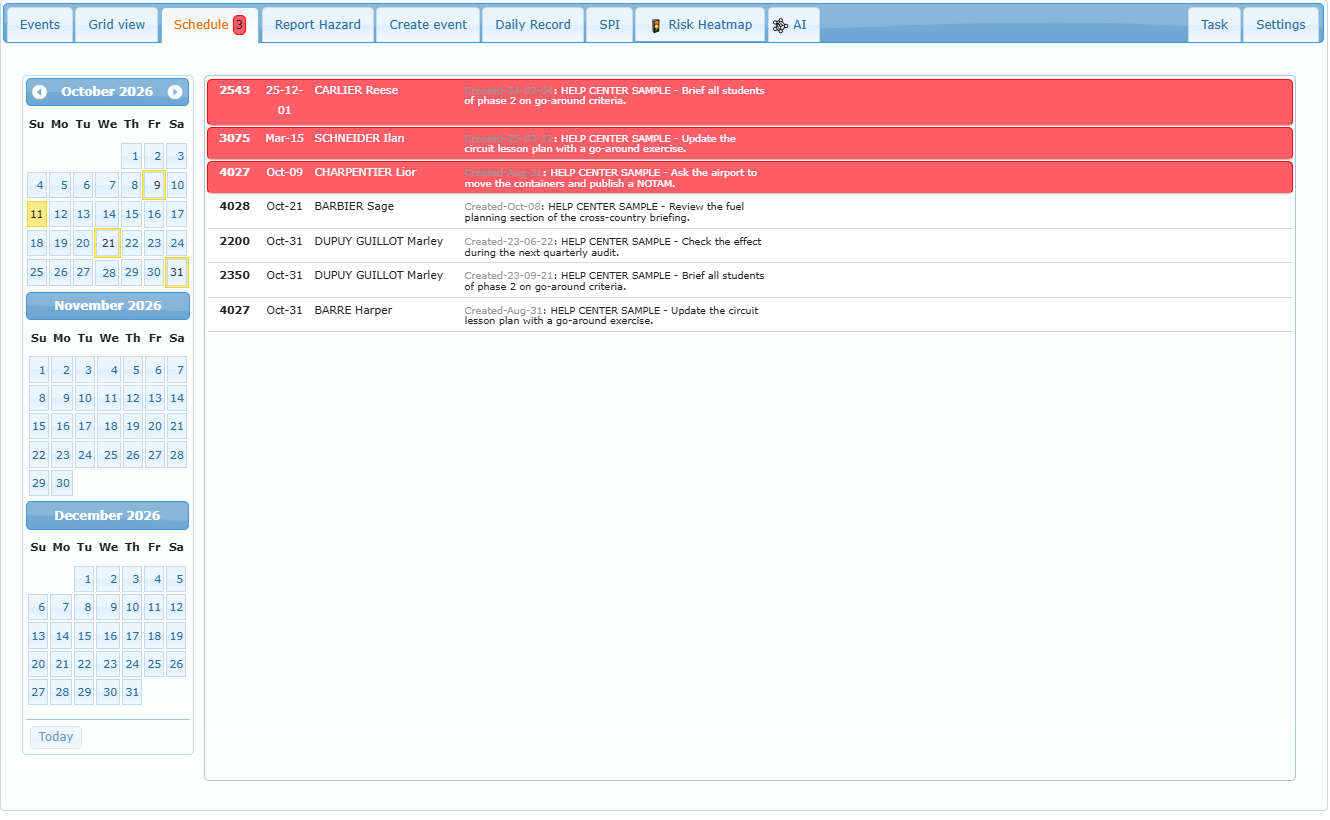
| Area | What it shows |
|---|---|
| Calendar (left) | Three months. Days with at least one projected action are highlighted. Use the arrows to change months; the list follows the months shown. |
| List (right) | Every open scheduled action in the months shown: report number, projected date, person in charge, creation date and the beginning of the report text. |
| Red lines | Actions past their projected date. |
| Red number in the tab title | How many shown actions are already overdue. |
- Click a day in the calendar to highlight its actions in the list.
- Double-click a line to open the report in the Events tab, where you can set the Closing date of the action or send a reminder to the person in charge.
- An action disappears from the list as soon as its Closing date is filled in, or when the whole SMS file is closed.
When to use it: at the start of each week, review the red lines, send reminders, and close the actions that were done.