Published 25 October 2026, Updated 25 October 2026
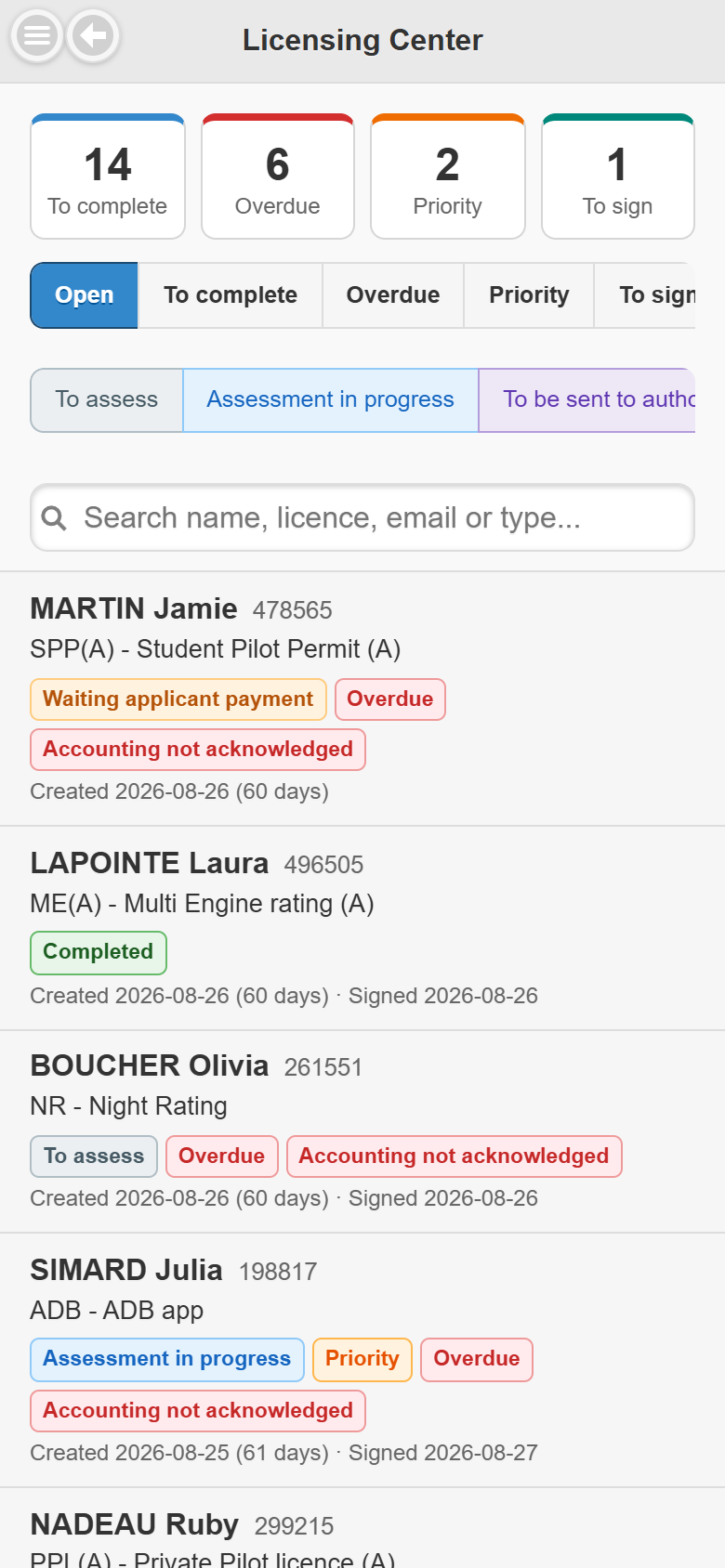
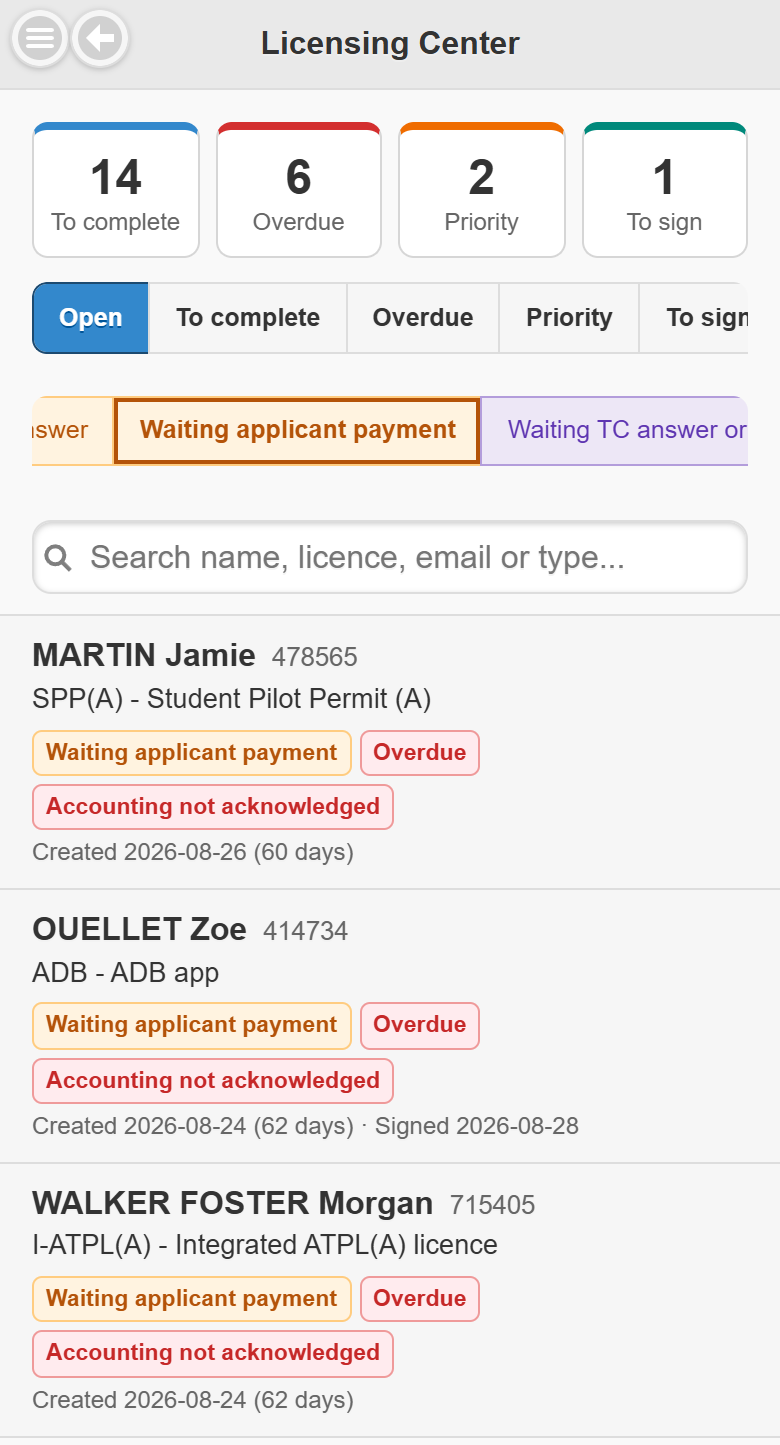
At the top, four counters (tap one to filter the list):
| Counter | Cases counted |
|---|---|
| To complete | Cases whose status is not Completed. |
| Overdue | Open, not completed cases older than the overdue delay. |
| Priority | Open priority cases. |
| To sign | Open, unsigned cases To be signed by agent of the types you sign (authorized agents only). |
Under the counters:
- View buttons: Open (default), To complete, Overdue, Priority, To sign (agents only), Closed, All.
- Status chips: tap one or several statuses to narrow the list (they keep the status colours); with none selected, every status is shown. Slide the chips sideways to see them all.
- Search: type a name, licence number, email or case type. Each word must match.
Each case shows the name, licence number, case type, the status badge and the extra badges, the creation date with its age in days and the signed date. Scroll down to load more cases (or tap Load more). Your view and statuses are remembered while the app stays open.