Published 22 February 2026, Updated 28 February 2026
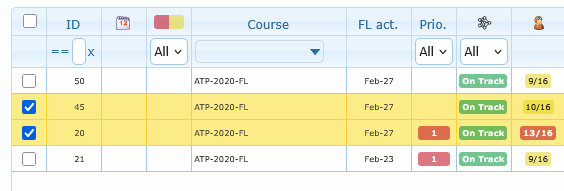
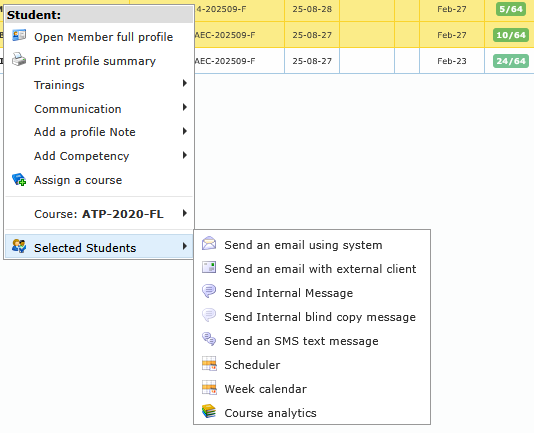
Bulk actions appear when more than one row checkbox is selected.
Bulk action list:
| Bulk action | Purpose | Availability notes |
|---|---|---|
| Send an email using system | Send one message workflow to many selected members | Requires at least one selected row with email |
| Send an email with external client | Opens mail client with multiple recipients | Requires selected rows with email addresses |
| Send Internal Message | Send internal message to selected members | Usually visible |
| Send Internal blind copy message | Send blind internal message to selected members | Usually visible |
| Send an SMS text message | Send SMS workflow to selected members | Requires at least one mobile number |
| Scheduler | Open scheduler filtered to selected members | Requires scheduling feature availability |
| Week calendar | Open week calendar for selected members | Usually visible |
| Course analytics | Open analytics for selected members | Visible only with analytics permissions |