
Published 22 February 2026, Updated 28 February 2026
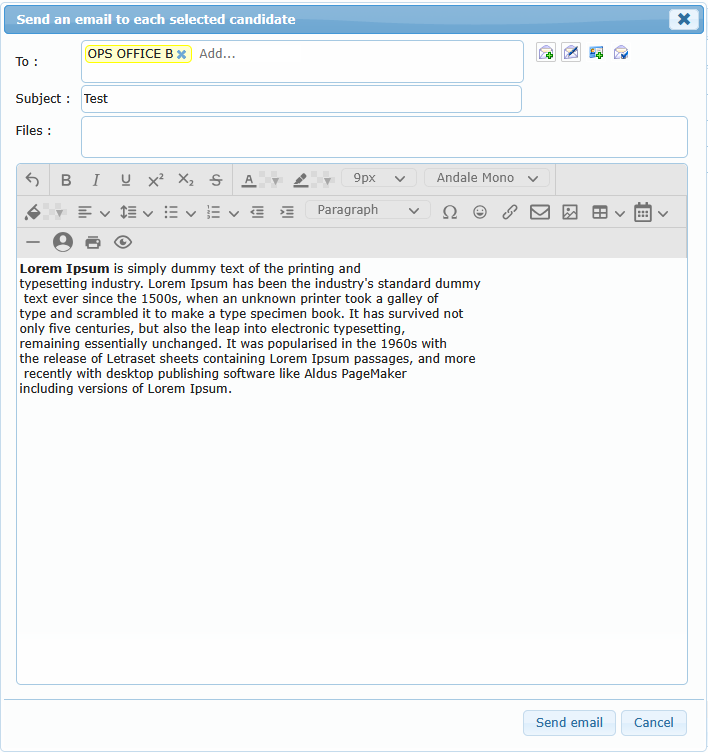
When using Send an email using system, a dedicated dialog opens.
Main areas:
- Recipient chips (one or many recipients).
- Subject field.
- Rich text message editor.
- Attachment area (drag-and-drop upload).
Message options:
| Option | Effect |
|---|---|
| Send me a copy | Sends copy to your account |
| Add my signature | Appends your signature to the message |
| Send using my own email address | Sends from your own configured address |
| Notify me when read | Requests read notification |
Important behavior:
- If sending fails, the system shows an error and no message is delivered.
- Attachments are uploaded before send.
If sending fails, the system shows an error and no message is delivered.
Attachments are uploaded before send.