Published 22 February 2026, Updated 3 March 2026
Action availability depends on row type and session state.
| Action | Where it appears | Conditions |
|---|---|---|
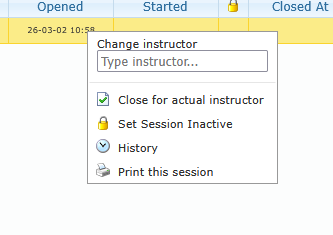
| Change instructor | Session row | Session must be open and active |
| Close for actual instructor | Session row | Session must be open and active |
| Delete | Session row | Session must not have student enrolled |
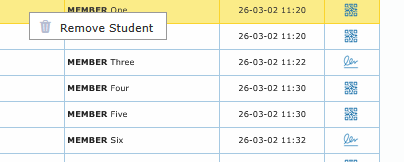
| Remove Student | Student row | Session must be open and active |
| Set Session Inactive | Session row | Session must be open and active |
| Reactivate the session | Session row | Session must currently be inactive |
| History | Session row | Available on session rows |
| Print this session | Session row | Available on session rows |
Change instructor flow:
- Right-click an open active session.
- Type at least 2 characters in Change instructor input.
- Select an instructor from the suggestion list.
- Confirm warning dialog.
- System validates instructor eligibility before applying change.
Change instructor can be blocked when:
- Session identifiers are incomplete.
- Instructor selection is invalid.
- Credential or competency checks fail.
- Linked operational constraints prevent reassignment.
Delete Session
- Confirmation is required.
- Only session with no student already enrolled, otherwise, you will have to close the session.
- If successful, the entry in the Flight daily record center can then be deleted.
Remove Student flow:
- Confirmation is required.
- Only open active sessions can be modified this way.
- If the student is already removed or session is not open, an error message is shown.
Set Session Inactive/Active
- Set Session Inactive is a soft deactivation of the active row, not a delete/close.
- Only works if the session is still open
- Does not delete the session.
- Does not close it (dateclose unchanged).
- Does not clear attendees/attendance fields.
- Will be hidden in app session list.
- Will close the Flight daily record row related to the open session by saving the ramp in without any duration.
- Reactivating the session will reopen the Flight daily record row, so that it will be possible to close the session