
Published 9 January 2023, Updated 15 February 2023
Displays member’s courses, or assigned courses as a responsible.
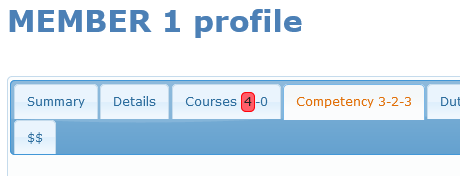
Numbers set on the “Courses” tab means:
Number of enroled courses as a student-Number of assigned courses as a responsible.
Red highlight blocks refer to courses that has at least one overdue date in its planning.
Section 1 – Enrolment
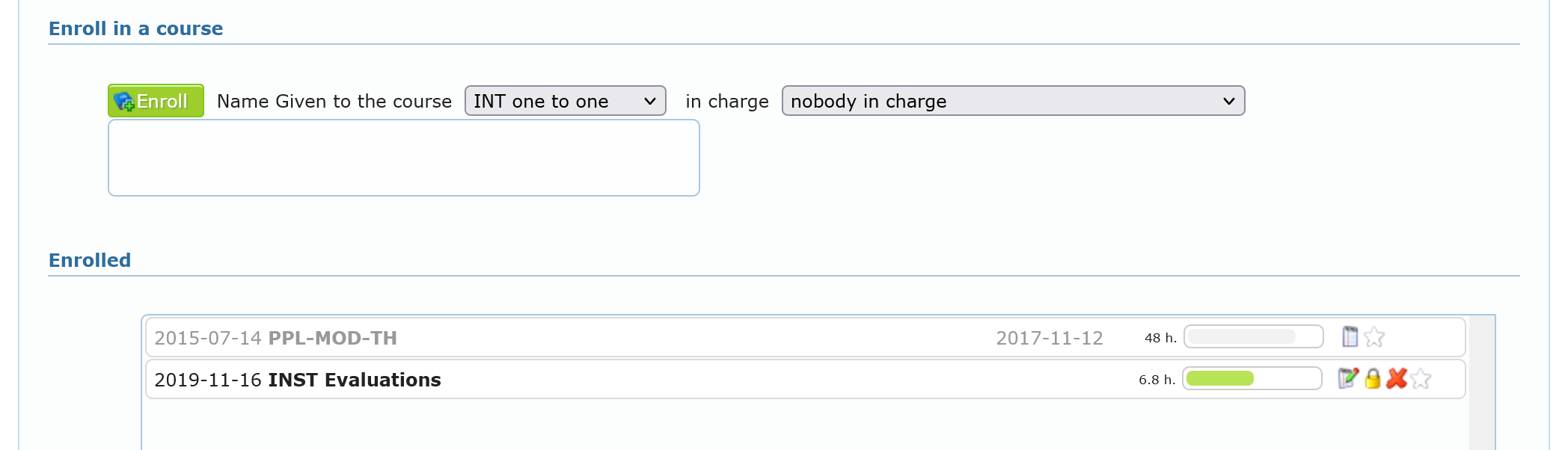
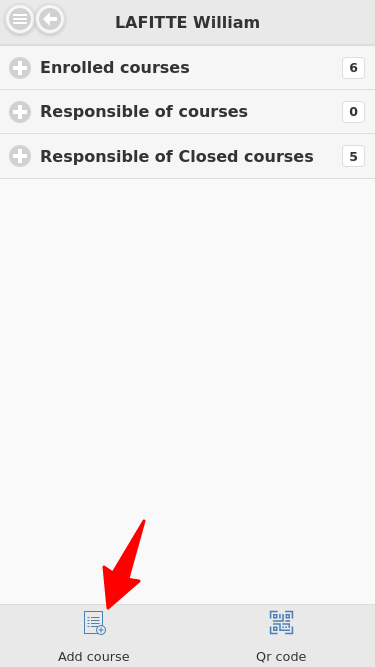
With proper credentials set by administrators, user can enroll member to a course and directly define a responsible member.
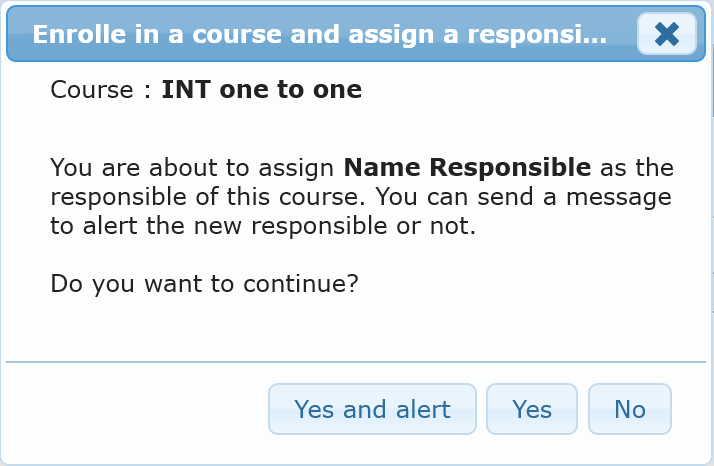
The user will have the option to alert, or not, by email the responsible member.
Below, are listed all courses the member is enrolled in, detailed as follow:
- The enrolment date
- The course title
- The course responsible if set
- The closing date if set
- The progression bar representing the number of completed lessons
- Action buttons will vary depending of the credential the user has
 Display the course
 Close the course
 Delete the course, only if no lessons has been completed, otherwise will close it
 Add to the favorite list
Section 2 – Competency Based Training and Assessment
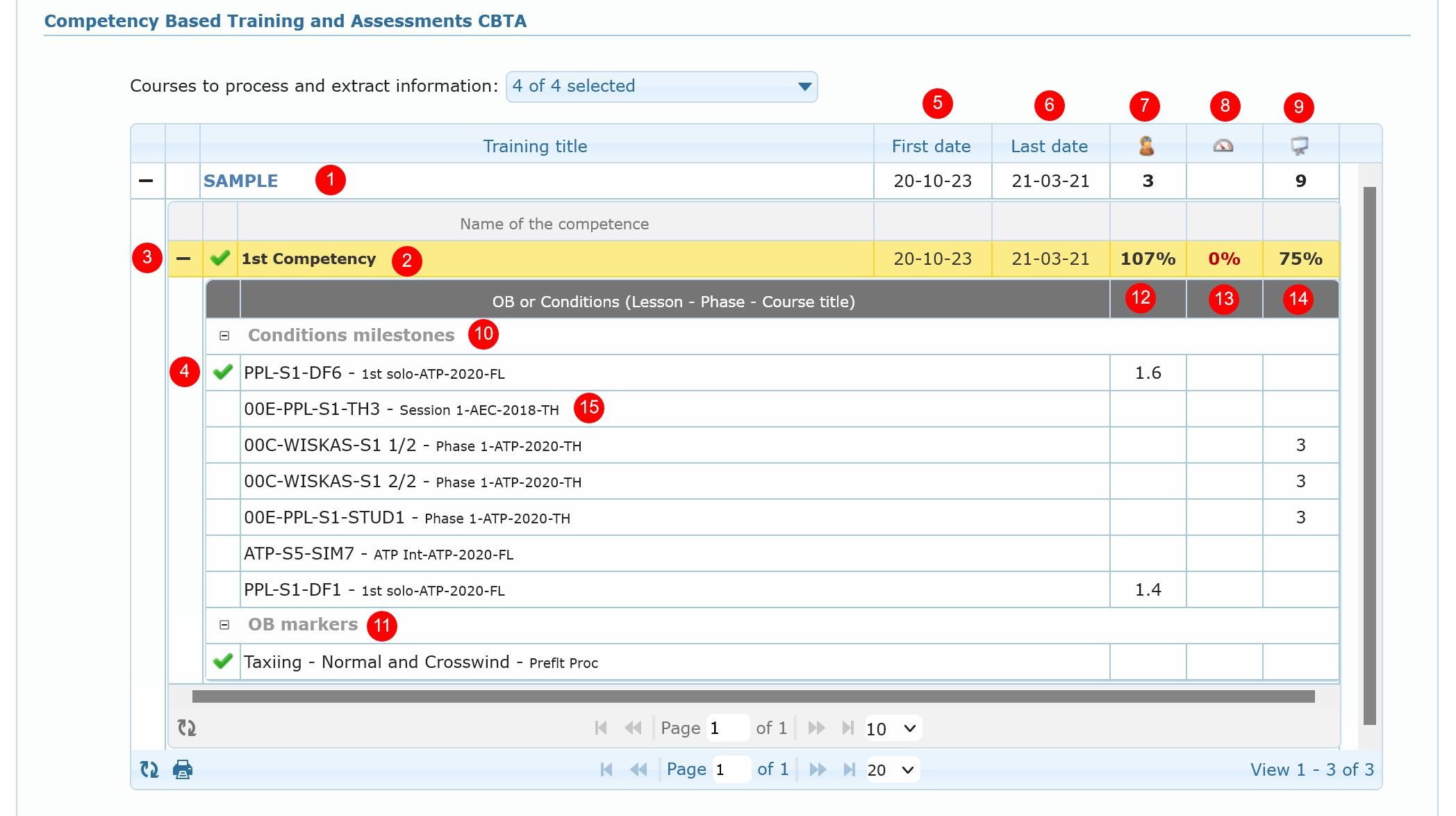
This section displays Assessment of defined competency based trainings of selected active courses. using a framework designed by the organization.
AirSupervision offers advanced CBTA functionality for any type of designed courses. Competency-Based Training and Assessment is characterized by performance orientation, with the emphasis on the standards of performance and their measurements, as well as the development of training to the specified performance standards.
The display grid details:
- The Competency Based Training title
- The competency title
 Indicates that all required passed condition milestone (lesson) have succeeded
- Indicates that the condition milestone (lesson) has been passed
- Date of the first completed condition milestone
- Date of the last completed condition milestone
 Hours of training in flight
 Hours of training in a Flight training device
 Hours of ground session
- Condition milestones list
- Observable behaviours list
- Percentage of completed in flight hours vs projected hours defined in lesson
- Percentage of completed in flight training device vs projected hours defined in lesson
- Percentage of completed in ground session hours vs projected hours defined in lesson
- Title of the condition milestone (lesson) and course title
Section 3 – In charge of active courses

List the courses the member is responsible of, detailed as follow:
- The enrolment date
- The student name and given name
- The course title
 Indicates if a lesson projected date is overdue. Hovering this icon will show more information
- The course responsible if set
- The closing date if set
- The progression bar representing the number of lessons completed
- Actions button will vary depending of the credential the user has, detailed as follow:
- Display the course
- Close the course
- Delete the course, only if no lessons has been completed, otherwise will close it
 Jump to the student profile page
- Add to the favorite list