Published 22 February 2026, Updated 28 February 2026
Priority management:
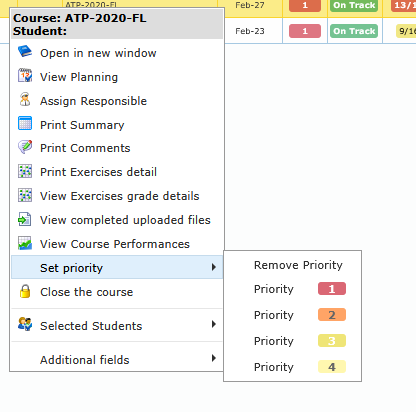
- Right-click Set priority to assign Priority 1, 2, 3, 4, or remove priority.
- Use priorities to drive operational scheduling order.
Closure workflow:
- Right-click course and choose Close the course.
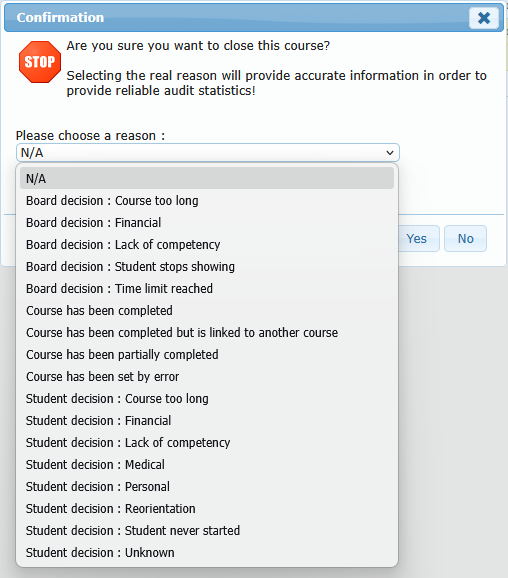
- Confirmation dialog opens.
- If closure reasons are configured, choose a reason from list.
- Option description panel updates with selected reason details.
- Confirm close.
Re-open workflow:
- Right-click closed course and choose Re-open the course.
- Course returns to open state for active management.
Operational notes:
- Close is available only on currently open courses.
- Re-open is available only on currently closed courses.
- Both actions require authorization.