
Published 22 February 2026, Updated 3 March 2026
Session row content includes:
- Session label
- Opened time
- Started time
- Closed At time
- Status (open/closed lock indicator)
- Resource
- Course
- Lesson
- Instructor
- Number of attendees
Student row content includes:
- Student name
- Added At timestamp
- Tech indicator (attendance capture method)
Tech indicator examples:
- QR code icon: attendance added by QR identification scan.
- Signature/select icon: attendance added via selection/sign flow.
Inactive sessions:
- Inactive session rows are visually faded/grey.
- Inactive state affects available actions (close/edit operations are restricted).
- Active session rows are visually in bright orange color.
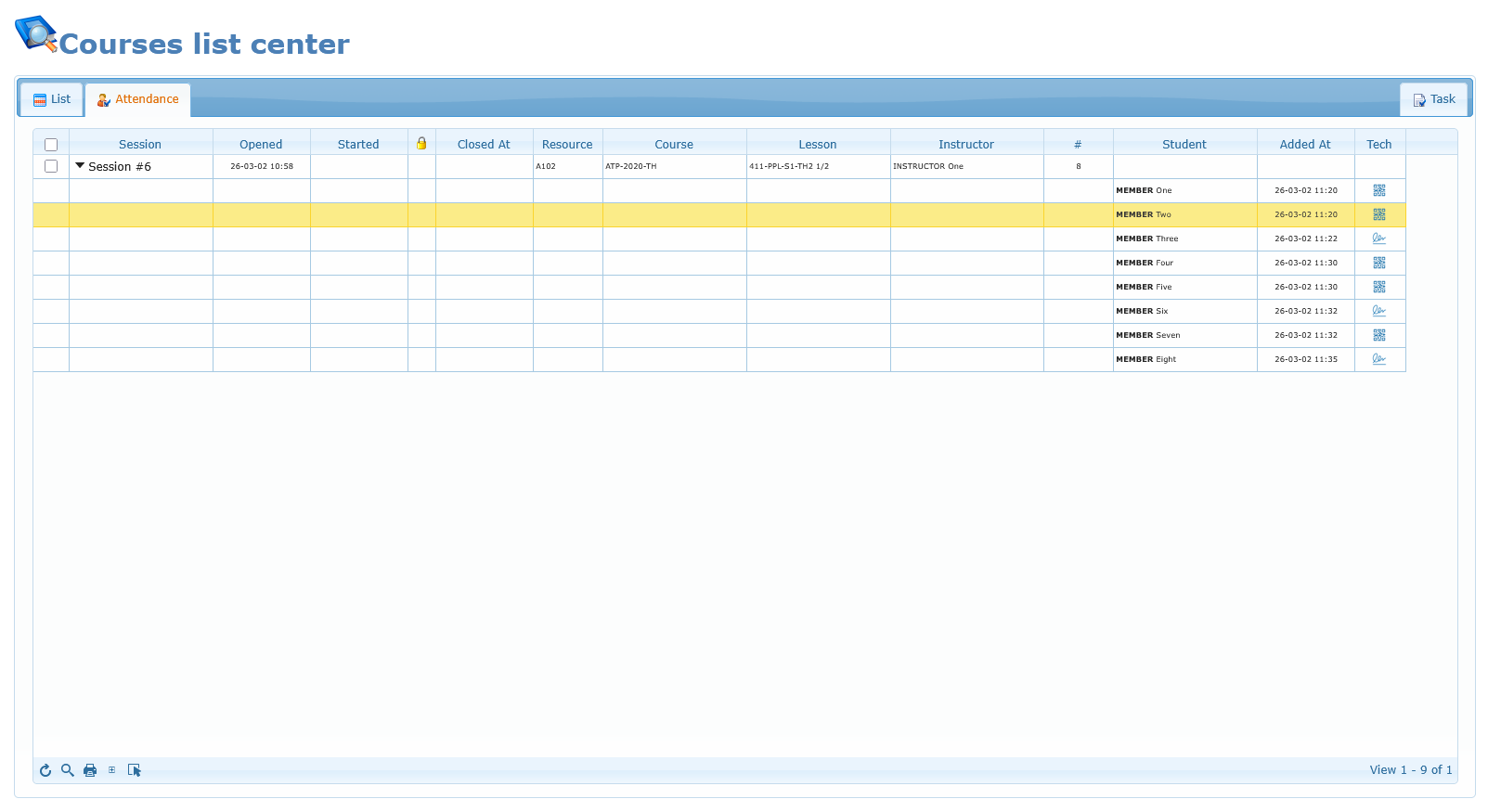
Once listed in the Attendance grid, the activity listed in the Flight daily record center can not be deleted, neither modified. If needed, the session has to be closed first.