
Published 11 February 2026, Updated 26 February 2026
Manual punch-in is useful for exceptional correction scenarios, such as a missed user action.
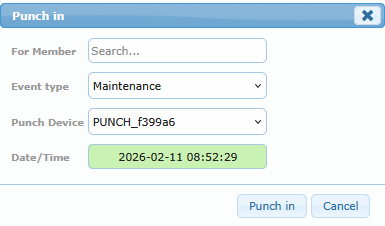
Recommended process:
- Select the member.
- Select the event type.
- Select the device context.
- Set a valid date/time.
- Save and verify the row in the grid.
Use this tool with care. Manual actions should remain exceptional and traceable.