
Published 22 February 2026, Updated 28 February 2026
This guide explains how operational staff can use the Courses Center page to manage students, courses, attendance sessions, and follow-up tasks in a flight school environment.
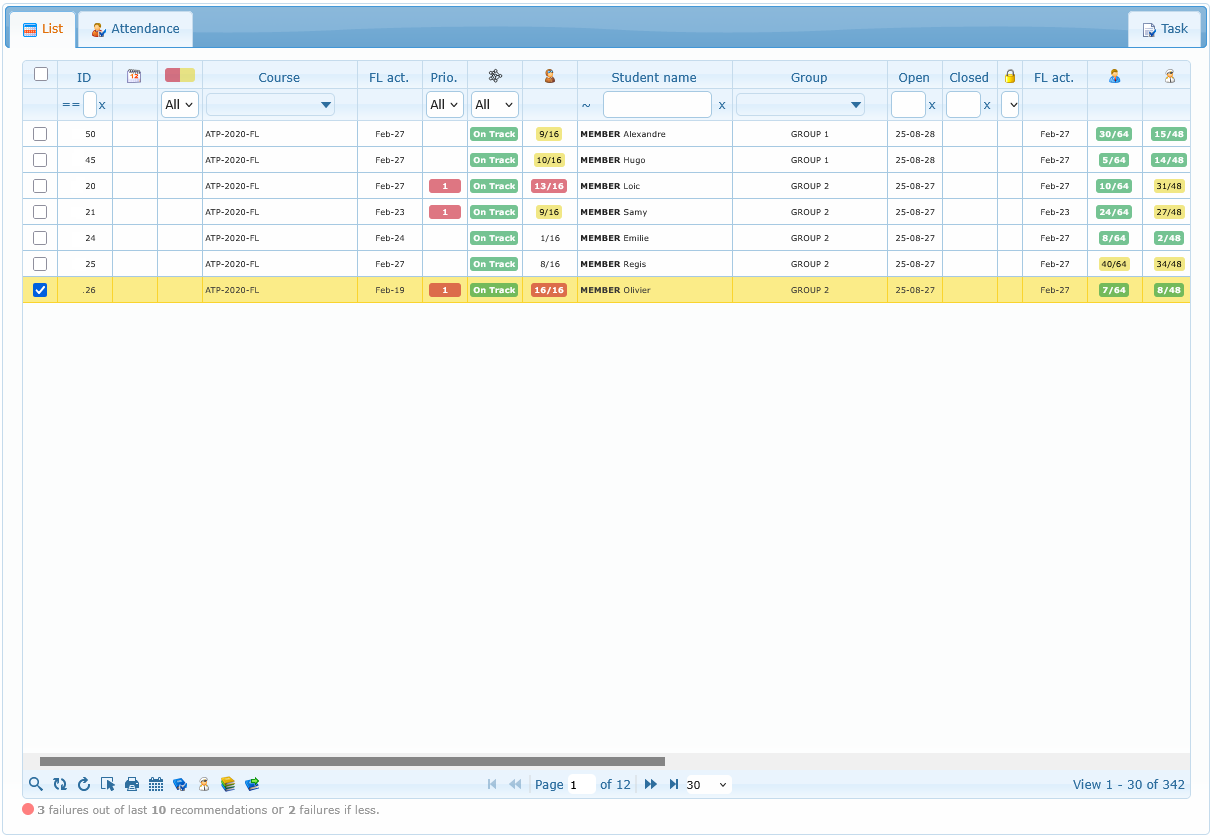
This page is organized into tabs:
- List
- Attendance
Use this document as a practical operations guide. You do not need technical knowledge to follow it.
Before You Start
What you can see depends on your permissions. If a button, menu, icon, or full tab is missing, your account role likely does not include that action.
The table below helps you identify role-based visibility quickly.
| Feature area | If your role allows it | If your role does not allow it |
|---|---|---|
| Attendance tab | You see the Attendance tab and can manage session actions | The Attendance tab is hidden |
| Scheduler and Flight Records actions | Scheduler and Flight Records entries appear in menus/toolbars | Those entries are hidden |
| Responsible center tools | You can open Responsible center and assign responsible from course menu | Responsible actions are disabled or hidden |
| Responsible analytics / Course analytics | Analytics launch buttons and selected-members analytics actions are available | Analytics actions are hidden |
| Course control actions | You can set priority, close, and re-open courses | Those actions appear disabled or are hidden |
| Competency quick add list | The Add Competency submenu shows available competencies | Competency list is empty or unavailable |
| No-shows analytics action | All Courses NoShows appears in trainings submenu | No-shows entry is hidden |
| AI status column | AI status filter/column is visible | AI status filter/column is hidden |
| Responsible global rank | Global rank column/icon is visible | Rank-specific indicators are hidden |
Articles
- List
- Attendance
- Attendance Toolbar
- Understanding Session and Student Rows
- Right-Click Actions in Attendance
- Session Details
- Close Session Workflow
- Common Attendance Blocking Conditions
- How Duration Is Interpreted for Pay and Student Credit
- Set Session Inactive / Reactivate
- Session History and Printing
- Attendance Statistics
- Operational Best Practices
- Troubleshooting
- Quick Action Checklist