
Published 11 February 2026, Updated 26 February 2026
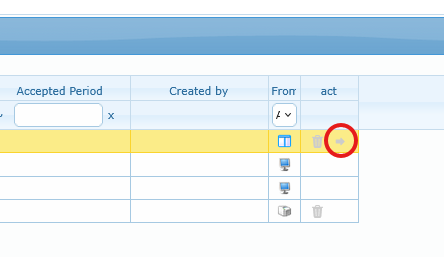
When a member has an active punch-in, you can close it directly from the active line.
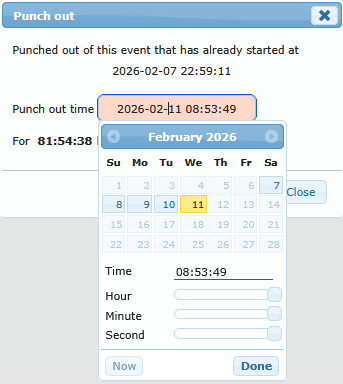
Important rule: the selected punch-out time must be logical. It cannot be earlier than the punch-in start and should not be set in the future.
Once a punch-out has been recorded, if an activity type code is attached to the event type, an icon will be displayed in the Current tab with the starting and ending punching date and time.